Territory changes that
actually get approved.
When leadership asks "why," you'll have an answer today — not after days of Excel rework.
Sound Familiar?
Territory changes fail not because of math — but because they can't be explained defensibly.
Excel Spreadsheet Hell
Hours spent copying ZIP codes between tabs, manually calculating totals, and hoping you didn't miss anything.
"How Do I Justify This?"
When leadership asks why you gave John more accounts, you need a clear, data-backed answer — not just gut feel.
"That's Not Fair!"
Team complaints about unbalanced territories. Some reps drowning while others cruise.
Enterprise Tools? Too Expensive.
Salesforce Maps costs $9,000+/year (plus Sales Cloud). Badger Maps is $3,000+/year. Way too much for a small team.
Excel calculates. Territory Balance convinces.
How TerritoryBalance Works
Three simple steps. No training required.
Upload Your Excel
Just drag & drop your customer list. Pick which columns to use.
See the Map
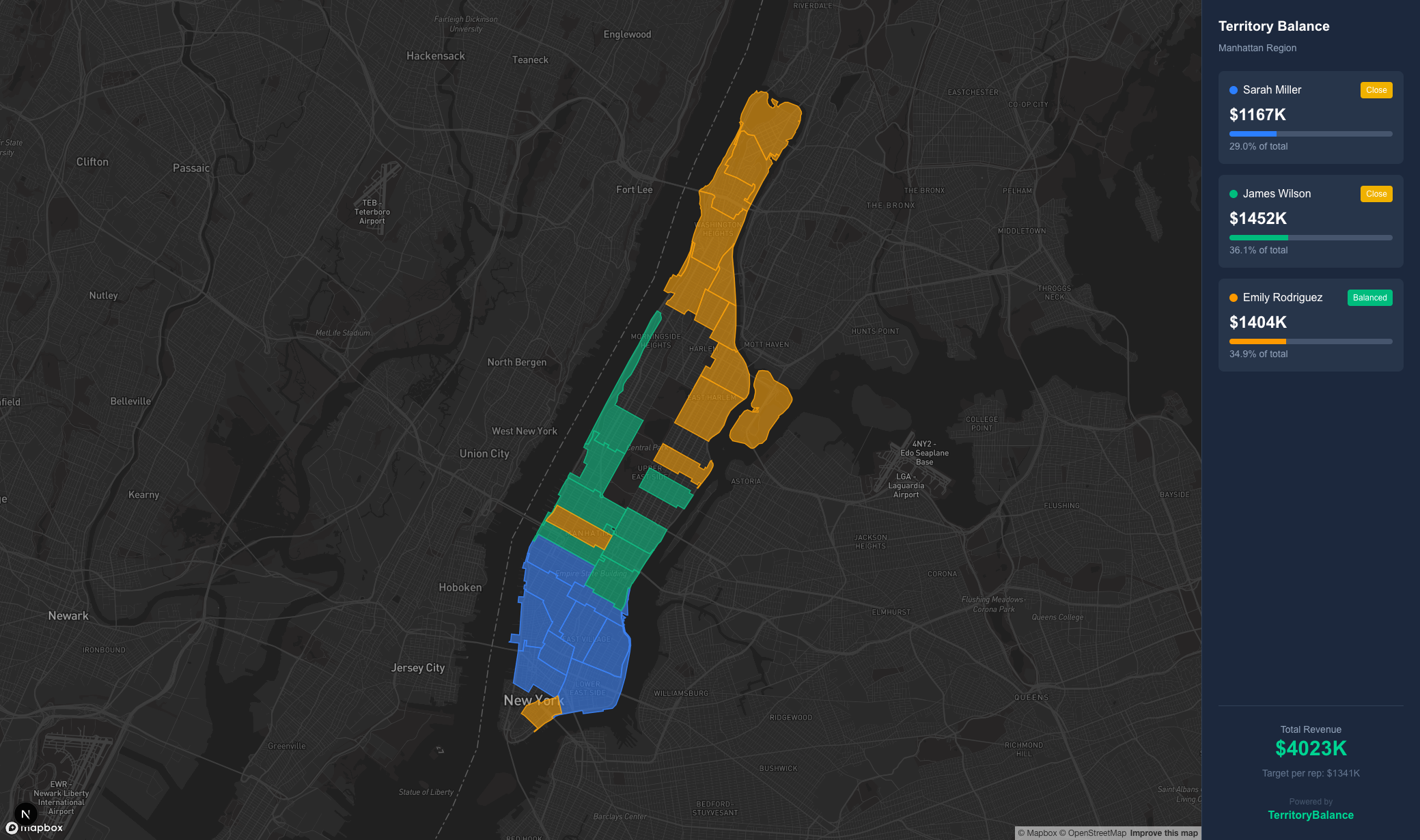
Your data appears on an interactive map with an initial balanced split.
Compare & Decide
Review 4 auto-generated scenarios. Pick the one that best balances your team.
Example: Your Excel Data
Just upload your customer list as-is. You pick which column is ZIP and which is the value to balance.
| Company | City | ZIP Code | Annual Revenue |
|---|---|---|---|
| Acme Corp | New York | 10001 | $145,000 |
| Beta Industries | New York | 10016 | $189,000 |
| Gamma LLC | New York | 10022 | $198,000 |
| ... | ... | ... | ... |
Highlighted columns are what you'll select. We auto-group by ZIP and sum the values.
Your Data Never Leaves Your Browser
Unlike cloud-based tools, TerritoryBalance processes everything locally in your browser. Your customer list, revenue data, and territory assignments never touch our servers.
Compare the Alternatives
| Tool | Annual Cost (5 users) | Note |
|---|---|---|
| Salesforce Maps | $9,000 - $27,000 | Requires Sales Cloud subscription |
| Badger Maps | $3,000 - $5,700 | Standalone |
| Excel + Google Maps | Free | Hours of manual work |
| TerritoryBalance | Free - $2,400/yr | Standalone, browser-based |
Simple, Transparent Pricing
Start free. Upgrade when you need Excel exports for your CRM.
Free
Evaluate the intelligence
- 1 scenario preview
- High-level scores only
- Watermarked PNG
Team
Execute the change
- 4 scenarios with comparison
- Full decision summary
- Excel export for CRM
Pro
Protect the decision
- Everything in Team
- PDF executive report
- Embedded audit trail
One failed approval cycle often costs more time, trust, and revenue than this plan.
Frequently Asked Questions
Does it work with Canadian postal codes?
Yes! We support both US ZIP codes (5-digit) and Canadian FSA codes (3-character Forward Sortation Areas).
How many rows can I upload?
Up to 5,000 rows per file. Since everything runs in your browser, this limit ensures smooth performance.
What if I need to balance by something other than revenue?
You pick the column! Customer count, potential revenue, visit frequency, or any numeric value.
Is my data really private?
100%. Your Excel file is processed entirely in your browser. Nothing is uploaded to our servers.
Can I export to my CRM?
Yes! Team plan includes Excel export that preserves all your original data columns plus the new team assignments.